Spend first on a repeated problem you can describe. A budget setup becomes expensive when each accessory creates the need for another one.
Your decision, at a glance.
| Decision | What to look at | Next check |
|---|---|---|
| Crowded surface | Rearrange existing equipment | Measure before adding storage |
| Loose charging lead | Check cable and surface | Consider a correctly sized clip |
| Too little working depth | Measure the real task | Then compare desktop sizes |
Run a no-purchase trial
Clear the surface, group the equipment for one task and move occasional items to nearby storage. Use removable paper labels to map cable destinations. Try the arrangement for a few sessions and record what still interrupts you.
Separate inconvenience from preference. A cable repeatedly slipping off the edge is a different problem from wanting a new color palette. Both can matter, but they do not need to be solved in the same purchase.
Compare the complete change
For a desk, include the cost and space of delivery, assembly and any necessary accessories. For an arm, include only documented adapters or fittings and verify the desktop before treating it as a space-saving bargain.
Do not add an unverified price to a shortlist. The product notes below use a dated catalog and contain no current price comparison. Compare current exact variants yourself once a candidate clears the fit checks.
Product references for this decision
Some product links are affiliate links. Exact offers, prices and fit still need checking. Catalog images may show props that are not included.
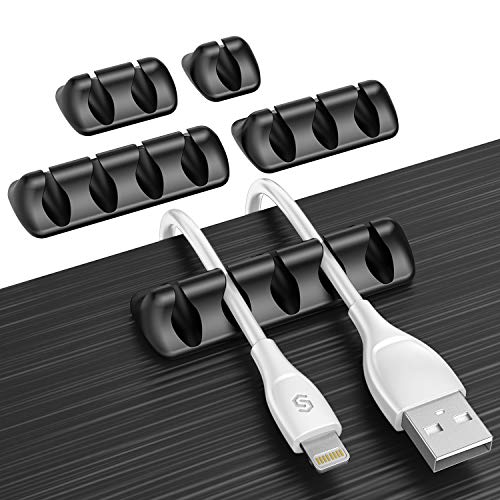
SYNCWIRE adhesive cable clips
A small routing option for frequently used cables. Cable diameter, surface suitability and the exact black variant need checking.
Evidence & open checks
Catalog identifies the black five-pack. Useful as a candidate for routing individual cables.
Verify cable diameter, surface preparation and removal instructions. Available review observations relate to a Clear variant; performance cannot be transferred to this black pack.
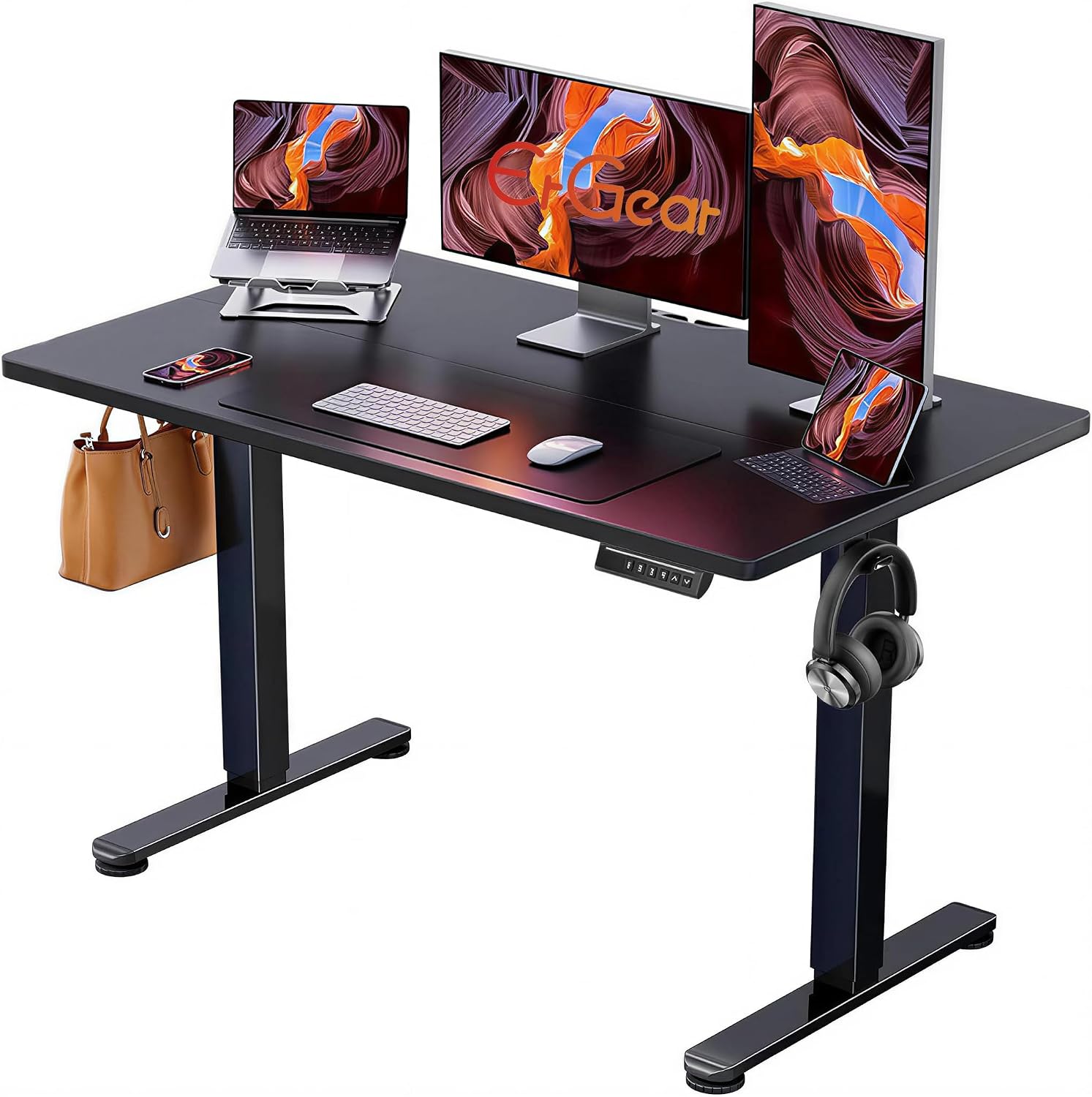
ErGear 48 × 24 in standing desk
A nominal 48 × 24 in desktop reference for a compact working area. Check top construction, range and accessory clearance.
Evidence & open checks
Exact-listing snapshot identifies a nominal 48 × 24 in desktop.
Verify usable depth, top construction, adjustment range and clamp clearances. Nominal size does not establish monitor-arm compatibility.
Upgrade in a reversible order
Start with routing or placement changes. Move to small accessories when the specific fixing, diameter or footprint is known. Replace the main desk only when its usable size or supported configuration is the actual constraint.
Keep the old arrangement available until the new one works. A cable clip is not successful because it looks tidy on day one; it needs to hold the intended cable on the permitted surface while leaving it usable.
Sources & scope
Product catalog snapshot: October 19, 2026. Selected primary references checked October 20, 2026. References are not current Amazon offer, price or availability verification.
- The Desk Nook: small-desk layouts ↗
- Chair & Cable: small-space guide ↗
- CompactDeskGear: small-desk ideas ↗
- Exact US listing: ErGear B0B41YH9B6 ↗
This is a research draft, not a hands-on review. How the research is used